

How to print a list of class attendees
There may be times when you need a physical list of your class attendees—whether due to a lack of Wi-Fi or a no-device policy in your studio. Whatever the reason, you can easily print a list of attendee names for your class.
Steps to Print a List of Class Attendees:
- Navigate to Class Details
- Log in to your ClassFit account and go to the class details page for the relevant class.
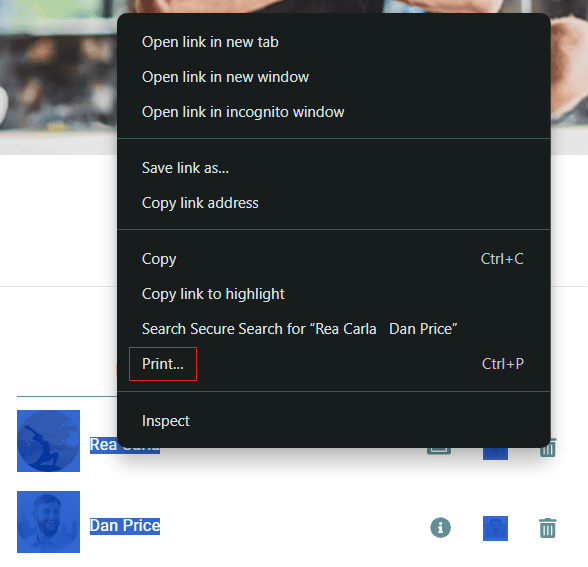
- Highlight the Attendees
- Left-click before the first name on the list, then drag the cursor down to the last name to highlight all the attendees.
- Right-click on the Highlighted Text
- Once the names are highlighted, right-click the highlighted section.
- Select Print
- From the right-click menu, choose Print.
- Follow the prompts to print the list using your preferred printer.
Need Help?
If you need any further assistance, please email us at hello@classfit.com.