

How many classes are left in my package
To check how many classes are left in your package, make sure you are in Attendee view. Then follow these steps:
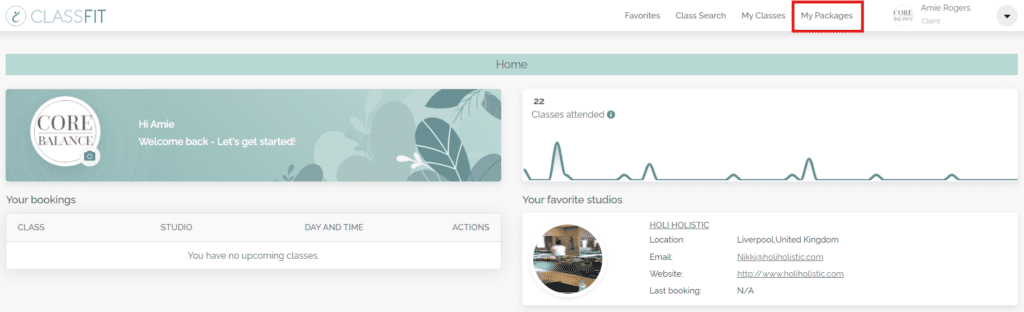
Navigate to My Packages
From the dashboard, select My Packages from the top menu.
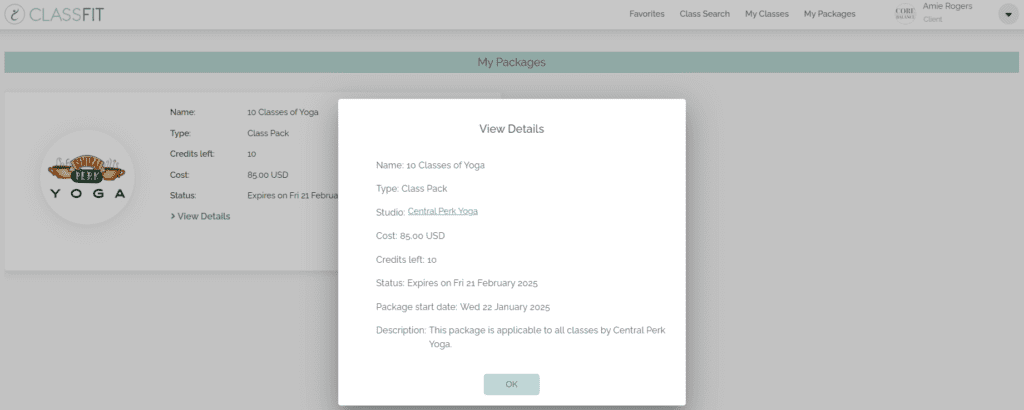
View Your Purchased Packages
Scroll down to see your purchased packages. Here, you will be able to see details about your bundle, including how many classes are remaining.
If you need any further help with this, please email us at hello@classfit.com.