

Creating class packages
It’s easy to set up a non-recurring package or a recurring package through ClassFit. In this article, we’ll show you how.
Creating Class Packages
Once you’re logged into our website, go to Class Packages, then Create a Package.
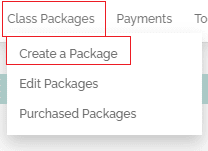
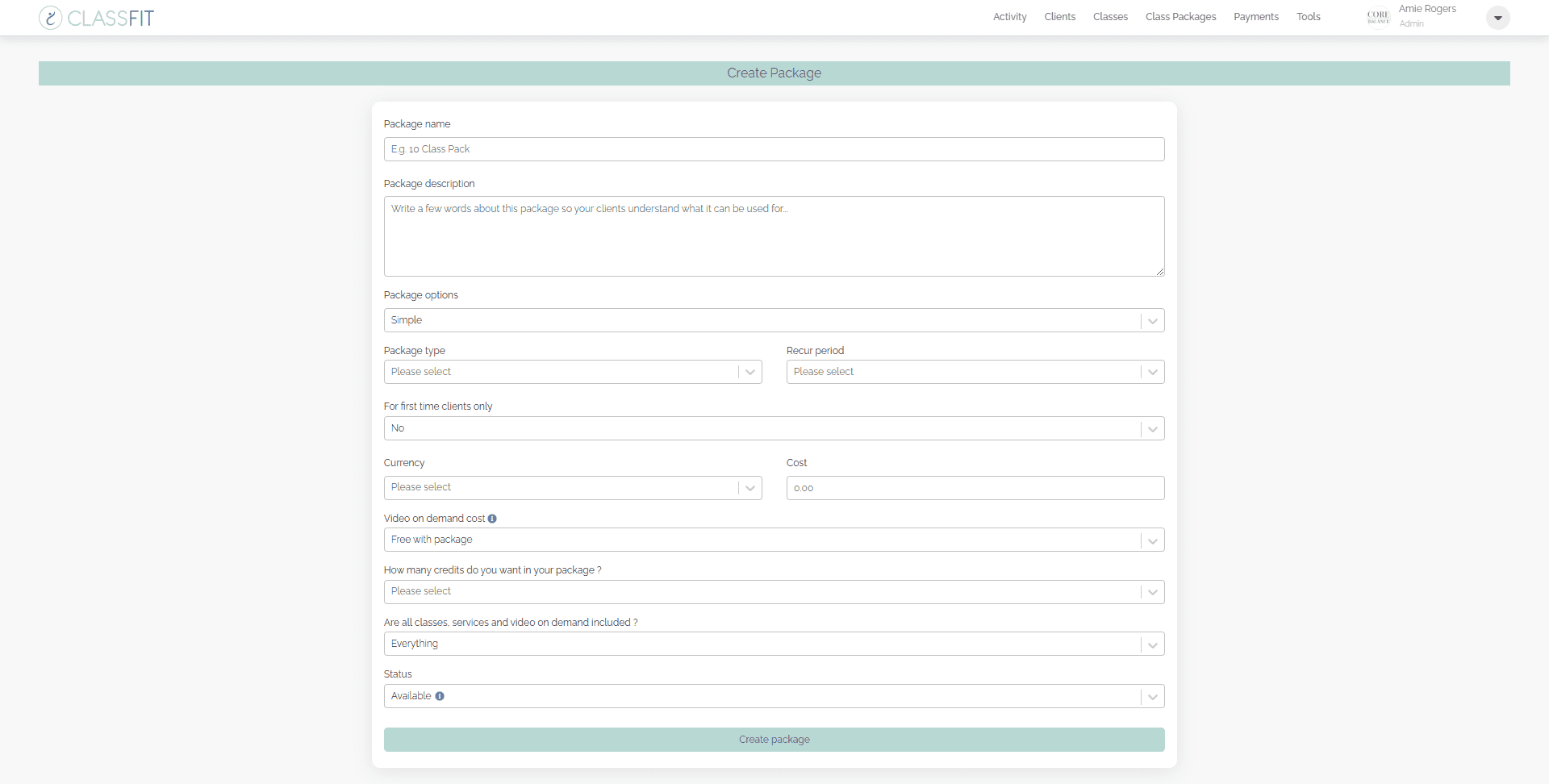
When creating your class package, ClassFit provides several options to customize your class package to your business needs.
-
Class Package Name – This is what your customers will see when purchasing the package.
-
Package Description – Describe in detail what your package includes.
-
Package Options– Simple or Advanced as below:
- Simple – You choose how many credits the customer will get, and they can use them on any classes or services you choose.
- Advanced – You can choose different numbers of credits for different classes and services. For example you might offer a package which allows a customer to attend 10 regular classes plus 1 personal training session.
-
Class Package Type – There are four options:
- Class Pack – This is a single class package or class pack. Once it expires, it will not renew automatically.
- Recurring Membership – This is a membership that will renew automatically, based on the timings you set. At each renewal period, it will charge your client and give them a new set of credits.
- Course – This is linked to specific classes. Once your client enrolls in the course, they will be automatically signed up for the linked classes.
- Standing Reservation – This is a recurring membership linked to specific classes. When a client enrolls, they will automatically be signed up for the classes and will renew automatically until canceled.
-
Number of Classes in the Package – This is how many classes will be assigned to the package.
-
Days Before the Package Expires – If you have selected a one-off class package, you can choose an expiry date. This will be the number of days after purchase that the class package will expire.
-
Recur Period – If you have selected a recurring membership, you can make it recur either weekly, biweekly, 4 weekly, monthly, 3 monthly, or yearly.
-
Currency – We will provide you with the currency options based on your account location.
-
Package Includes All Classes – Yes / No.
-
First Time Clients Only – If you want to offer a special discount for first-time customers, you can do so by checking the “First time clients only?” box. We will then only allow each account holder to purchase this once. Tip: you can create a class pack with one class if you want to offer a discount for the first class only.
-
Which Classes Are Included in the Package – Select the classes that will be included in this package.
Once you’ve customized your package, click Create Package.
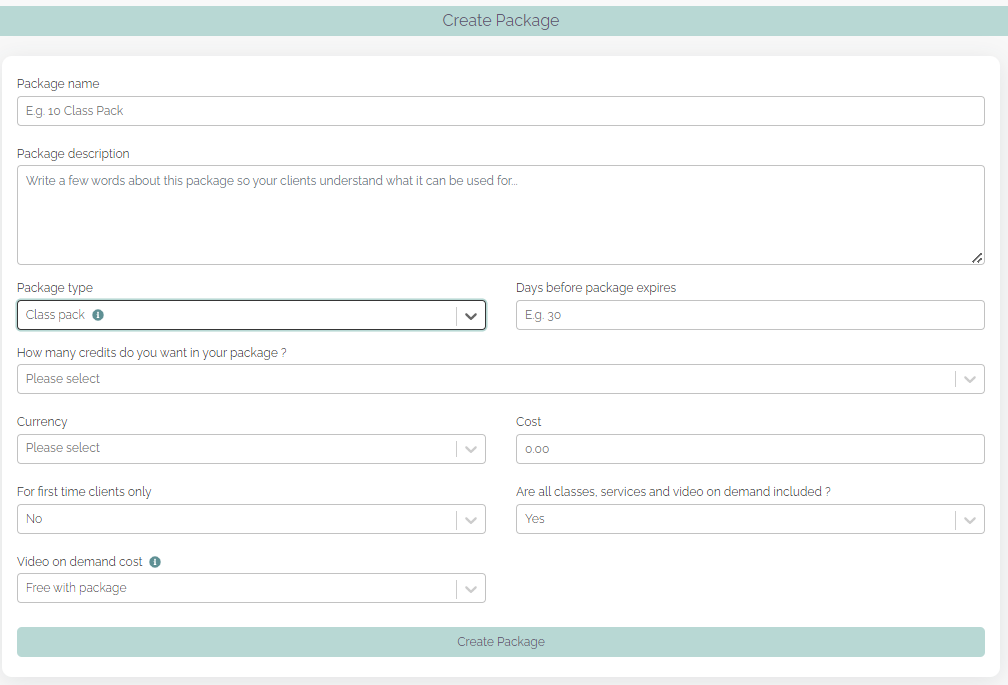
After you click Create Package, your page will refresh and there will be a notification that your package was added successfully. If you need to edit or delete your packages, you can go to Edit Package. This will not affect any customers who have previously purchased one of these packages.

How Customers Purchase Packages
If you take online payments, your customers will check out online when they register for one of your classes. At this stage, they will be given the option to purchase the class at the pay-as-you-go rate set by you, or to purchase a package if you have created them, and they are relevant. In addition to this, you can also add a package widget to your website so your clients can purchase them without having to register for a class first.
Deleting Packages
From the class package, click on Edit Package. Then scroll down to find the packages you wish to delete in the table. Then click Delete in the right-hand column. A popup will appear asking you to confirm you are ready to delete this package. Customers who already have this package will not be impacted, however, it will stop new customers from purchasing this package in the future. If you want more information on how to edit packages which clients have already purchased, please see this link for further information – Adding and editing client-specific packages.
If you need any further help with this, please email hello@classfit.com.