

Adding your terms and conditions / waiver
We know that you may need to add your own terms and conditions or a waiver for your customers to agree with before they join your classes. So, we’ve made adding these terms simple for you.
Adding Your Terms and Conditions / Waiver
Log in to ClassFit
Once logged in to classfit.com, hover over Tools, then click on Waiver.

Insert Your Terms
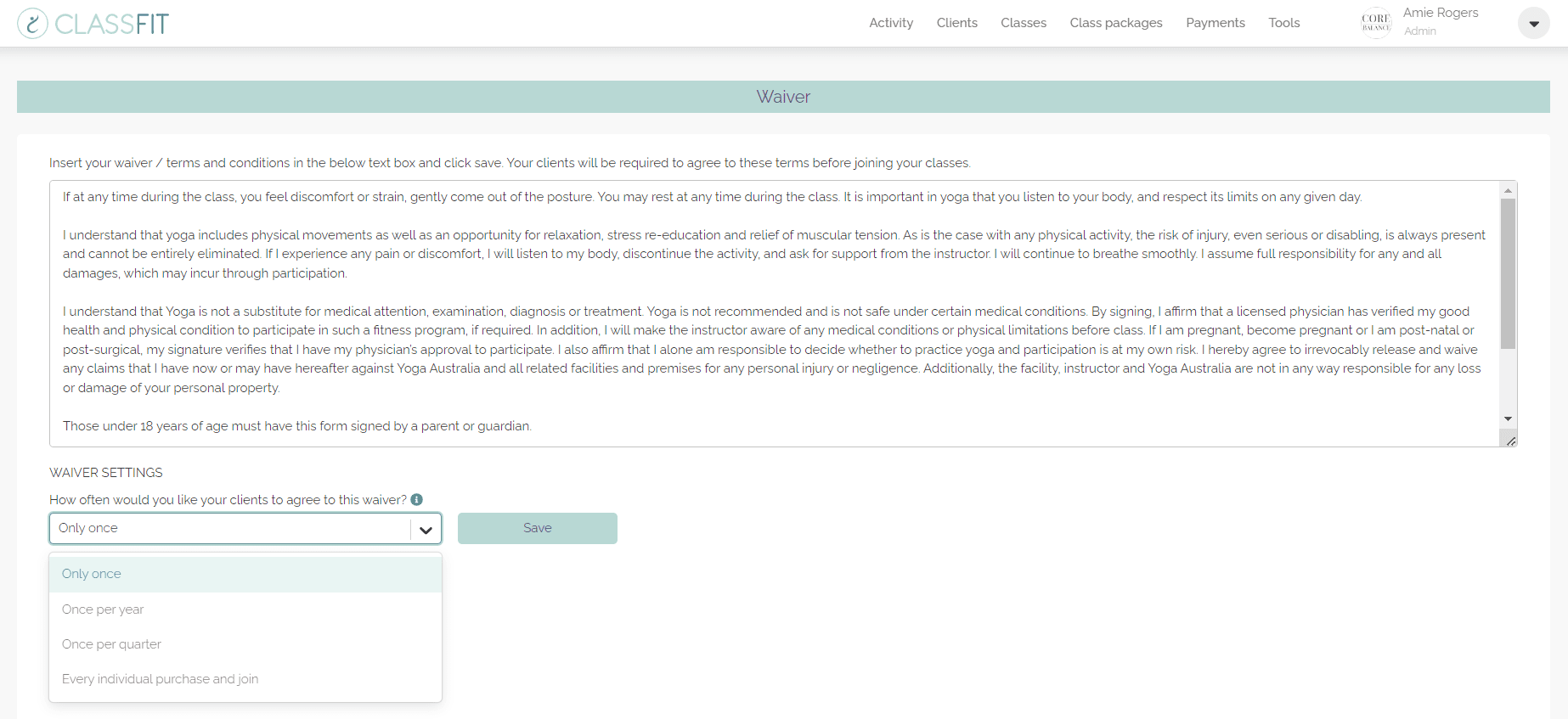
Insert your terms and conditions or waiver into the free text box provided. After entering your terms, click the Update Terms and Conditions button.
Set Waiver Frequency
Below the text box, choose how often you’d like your clients to agree to the waiver:
- Only once
- Once per year
- Once per quarter
- Every individual purchase/action
After selecting the frequency, click Save.
Viewing the Waiver During Checkout
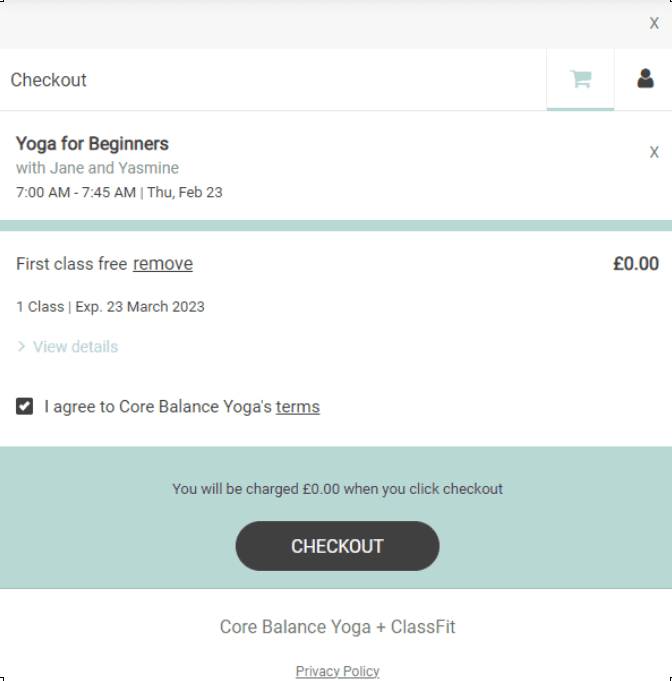
Once you’ve set up the terms and conditions or waiver, ClassFit will create a waiver page for you. During the checkout process, your clients will need to agree to these terms before they can register for a class by checking the box next to “I agree to [Studio name]’s terms.”
Client Access
All of your clients will have access to this waiver page from the class details page. They must confirm their agreement to these terms before registering for classes.
Need Further Help?
If you need any further assistance, please email us at hello@classfit.com.